Update Your Palmer Church Membership Account
1.) Click the link you received in your email.
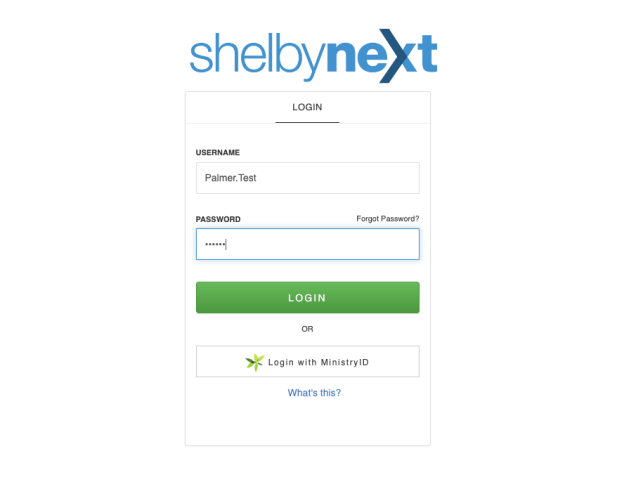
2.) Enter your unique username: @USERNAME
3.) Enter your unique temporary password: @PASSWORD
Once you are logged in you can access your personal information, giving history, and a calendar of events.
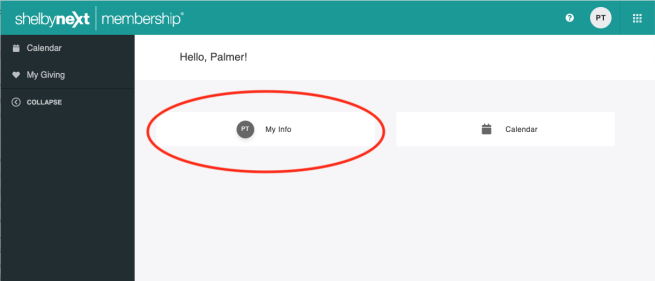
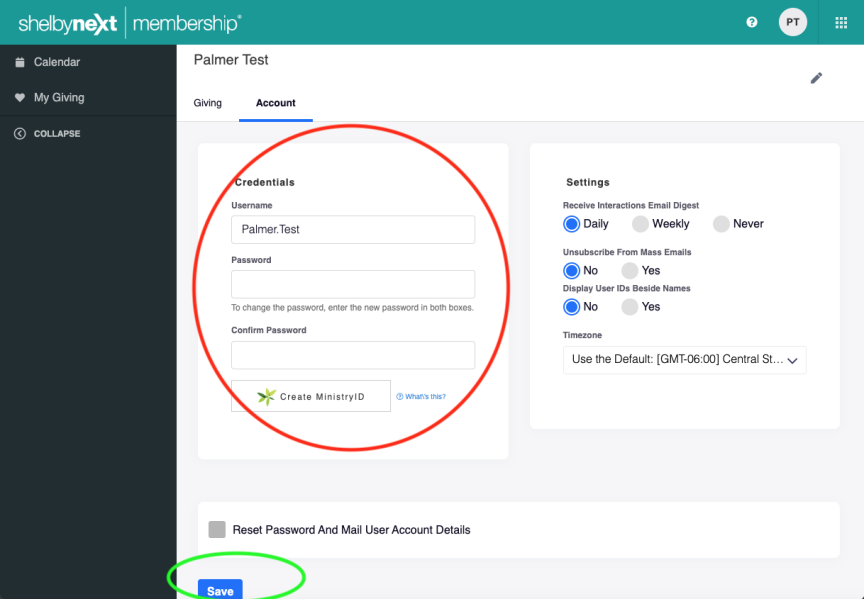
To change your password click “My Info” on the homescreen.
Then click the “Account” tab just below your name
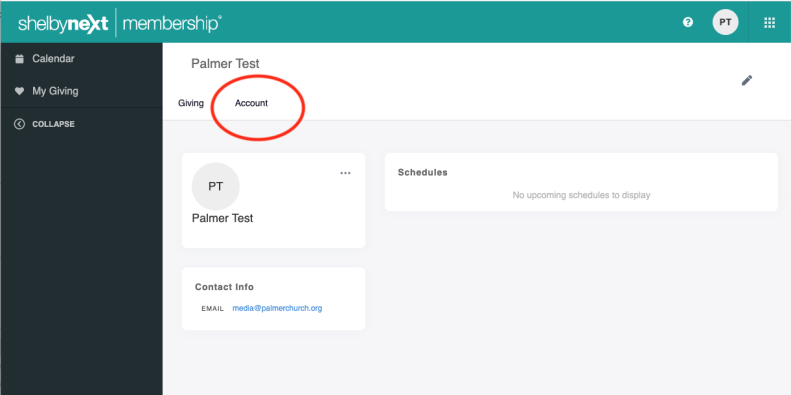
Enter your NEW password in the “password” field and in the “confirm password” field and then click the “save” button at the bottom.
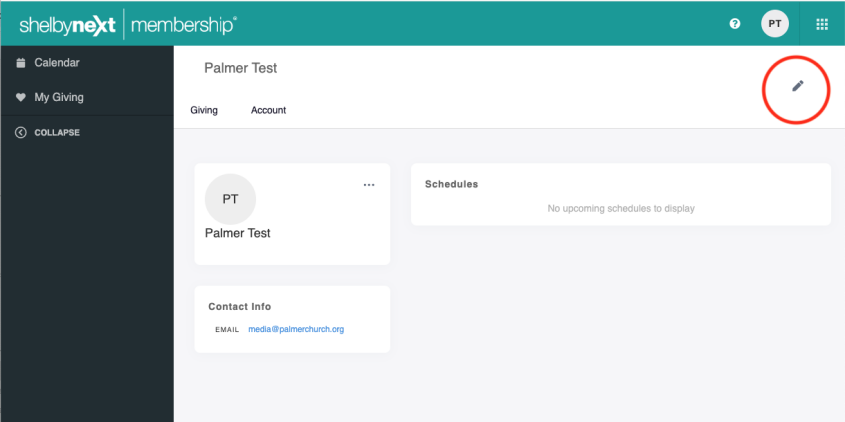
To change your personal information, click the pencil icon in the upper right.
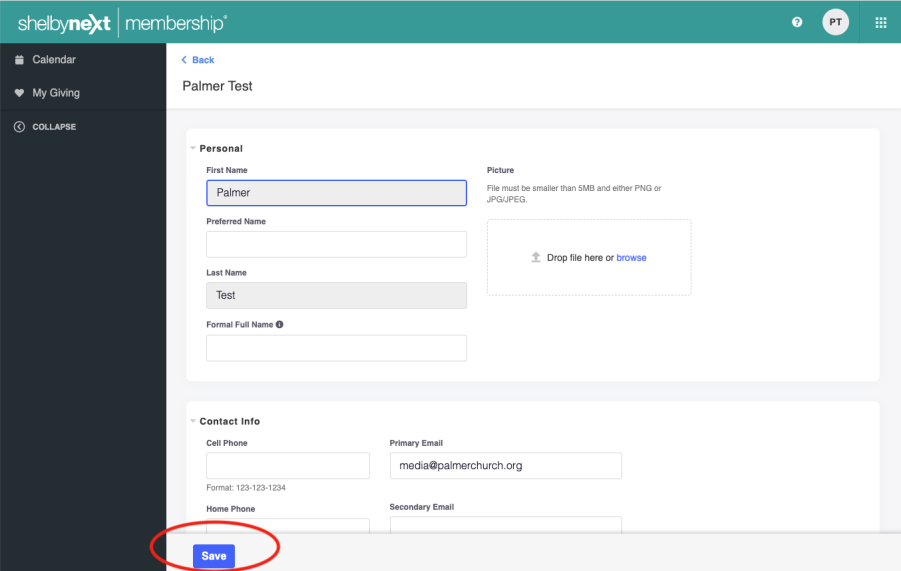
Once you are done adding or updating personal information, click the “save” button at the bottom of the window.
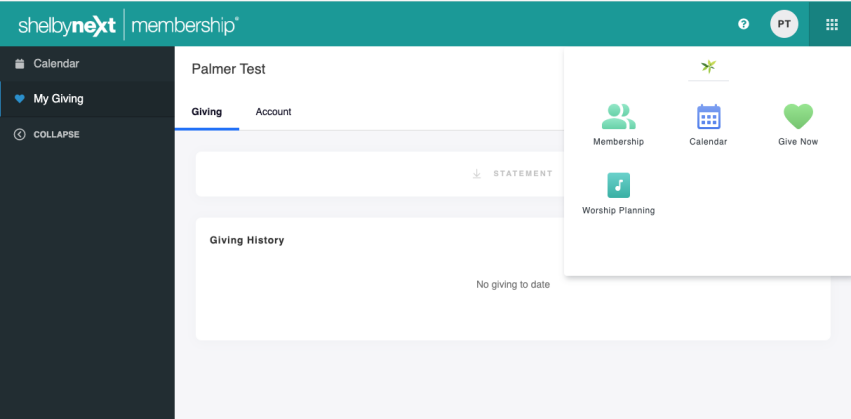
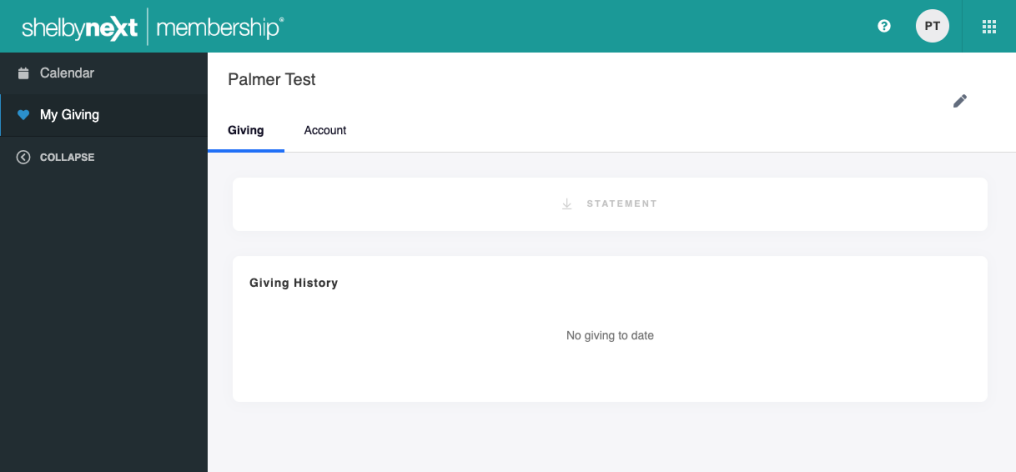
To access your giving history click the "My Giving" tab on the left menu bar.
To make a donation, click the four dots on the right hand corner and click "Give Now."